
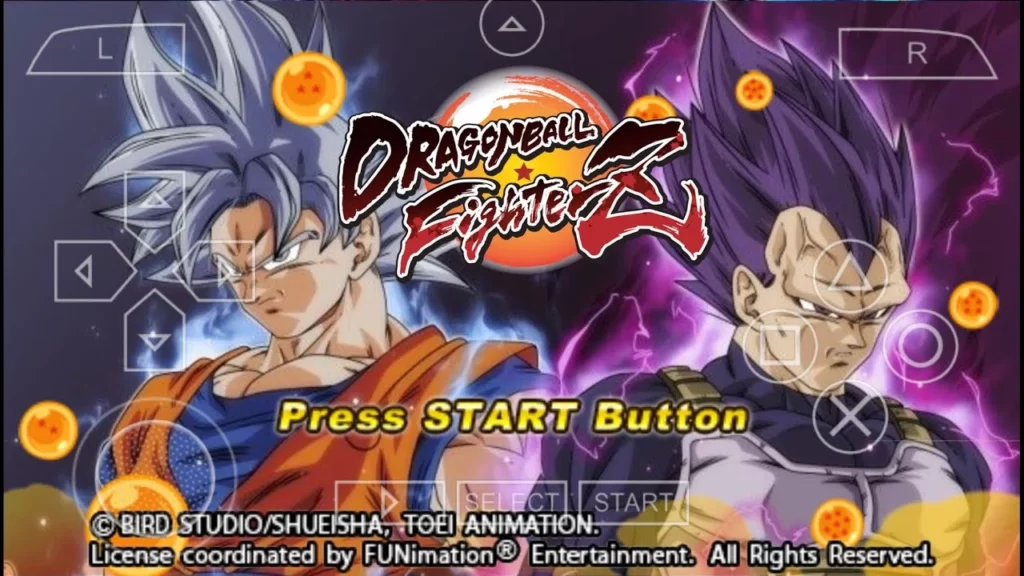
If you ever wished Jump Force had a PSP version, the DBZ TTT Jump Force mod is about as close as it gets. This fan-made overhaul of Dragon Ball Z Tenkaichi Tag Team rebuilds the game around the look of Jump Force, with the same style of textures, a rebuilt Jump Force-style aura, Jump Force characters, new attacks and new maps, all running on PPSSPP for Android.
One honest heads-up before you download: the menu in this mod is not permanently fixed. You need to re-apply it every time you start the game. It takes a few seconds, and the menu itself looks amazing, so it is worth it. Full details are in the install section below.
What’s New in the 2026 Update
- Jump Force-style textures across characters, stages and effects
- Rebuilt aura modeled on the aura from Jump Force
- Jump Force character roster with new attacks for each fighter
- New maps added for more gameplay variety
- Menu note confirmed: the menu must be re-applied every time you start the game, it is not permanently fixed
- Fresh install steps and best PPSSPP settings for 2026

About This Mod
The DBZ TTT Jump Force mod is a full visual and roster overhaul of Dragon Ball Z Tenkaichi Tag Team for PSP. The creator built it around the Jump Force game, which they called one of the most amazing games of the year, with one goal: make TTT look and feel like Jump Force as closely as possible.
That goal shows everywhere. The mod uses the same style of textures as Jump Force, so character models and battle effects carry that look. The aura is completely rebuilt to match the Jump Force aura, and it is honestly one of the most eye-catching auras in any TTT mod. The roster mirrors the Jump Force lineup, with new attacks added across the fighters, and there are new maps to fight on as well.
The DBZ TTT Jump Force mod took a lot of time and effort to put together, with many improvements made throughout. The result is a great mod of Dragon Ball Z Tenkaichi Tag Team that works on your emulator and on a real PSP, and it is packed with new characters.
Why the DBZ TTT Jump Force Mod Looks So Good
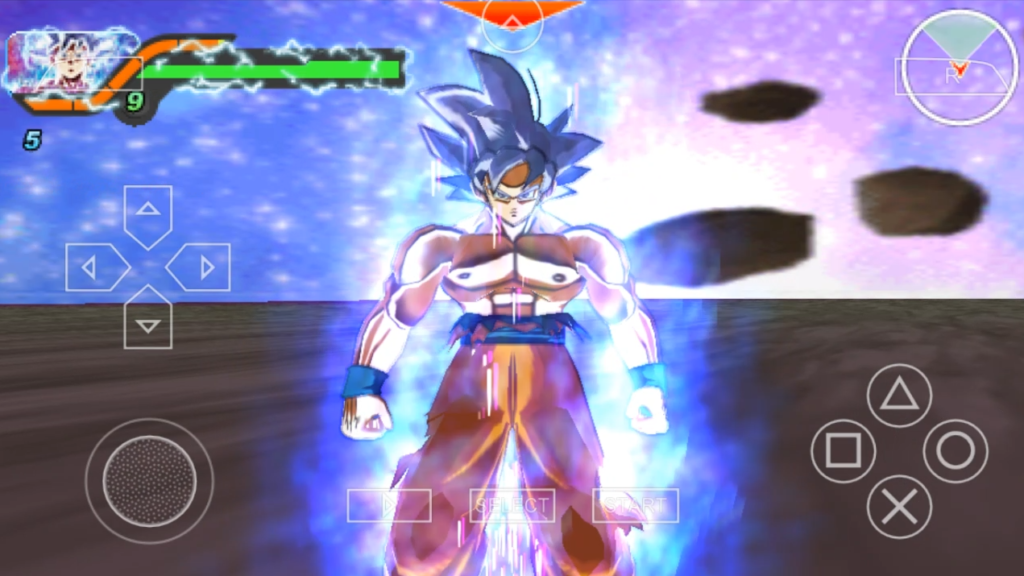
The standout feature of the DBZ TTT Jump Force mod is the aura. The creator rebuilt it from the ground up to look like the aura in Jump Force, same style, same energy. When your fighter powers up, it genuinely looks like you are playing Jump Force.
Combined with the Jump Force-style textures across every character and stage, the whole game feels completely different from vanilla TTT. The new attacks are designed to match the roster, and the new maps give you fresh arenas to show off those auras in. If you are a Jump Force fan, the DBZ TTT Jump Force mod is the closest you will get to that experience on a phone.

How to Download the DBZ TTT Jump Force Mod
- Scroll down and tap the Download button below
- Wait for the countdown timer to finish and your download link will appear.
- Download the ISO file and the menu folder (ULUS10537)
- If the files are compressed (.zip/.rar/.7z), extract them with ZArchiver
How to Install on PPSSPP (Android & PC)
Follow these steps exactly, the menu install is what makes this mod work:
- Install PPSSPP from the Play Store (Android) or the official PPSSPP site (PC)
- Download a RAR/zip extracting app (like ZArchiver) from the Play Store
- Extract the game ISO and the menu folder with the app
- After extracting, copy the menu folder [ULUS10537] and paste it into your PSP/TEXTURES folder (create the TEXTURES folder if it does not exist)
- Place the extracted ISO in a folder you can find easily (e.g. /PSP/GAME/)
- Open PPSSPP, change your emulator language to Americas / Latin, then choose the game and launch
- Enjoy!
Important menu note: the menu is NOT permanently fixed, it must be re-applied every time you start the game. If the menu looks wrong or missing on launch, re-do step 4 before playing. The menu itself looks really amazing, so the extra few seconds are worth it.
Note: if the game crashes, go to Settings, System and deactivate Fast Memory (Unstable) and Multithreaded.
DBZ TTT Jump Force Mod: Best PPSSPP Settings (2026)
These settings fix the most common problems with TTT mods:
- Rendering mode: Buffered rendering (fixes black-screen issues)
- Frameskipping: Off (or Auto if your device lags)
- Rendering resolution: 2x PSP on mid-range phones, higher if your device handles it
- Fast memory (unstable): OFF, this is the #1 crash fix for TTT mods
- Multithreaded: OFF if you get random crashes
- Texture scaling: Off or 2x (higher values cause lag on low-end devices)
Minimum Requirements (2026)
- Android: 5.0 or higher
- Storage: 2GB free space for the game files
- File type: ISO or CSO
- Emulator: latest PPSSPP from the Play Store

Troubleshooting
The menu looks wrong or missing when I start the game?
This is the known quirk of this mod, the menu is not permanently fixed. Re-apply it every time: make sure the ULUS10537 folder is in PSP/TEXTURES, then launch.
Game crashes on startup?
Turn off Fast memory (unstable) and Multithreaded in PPSSPP Settings, System. Set language to Americas/Latin.
Black screen after loading?
Switch rendering mode to Buffered rendering in Settings, Graphics.
Lag during fights?
Lower rendering resolution to 2x PSP, turn on Auto frameskip, and close background apps.
Menu textures not showing?
Double-check that ULUS10537 is pasted directly inside the TEXTURES folder (PSP/TEXTURES/ULUS10537), not nested in an extra subfolder.
FAQ
Is the DBZ TTT Jump Force mod available for Android?
Yes, it runs on Android through the PPSSPP emulator. There is no native Android port, PPSSPP is required.
Why does the menu need to be re-applied every time?
That is just how this mod was built, the menu is not permanently fixed, so it does not last between sessions. Re-copying the menu folder into PSP/TEXTURES each time you start takes seconds.
What does the DBZ TTT Jump Force mod change?
The DBZ TTT Jump Force mod changes the textures to the Jump Force style, rebuilds the aura to match Jump Force, adds Jump Force characters with new attacks, and brings new maps. It is a full visual and roster overhaul of DBZ Tenkaichi Tag Team.
Is this mod free?
Yes, it is a free fan-made mod. You need the PPSSPP emulator (free) to play it.
Will it work on low-end phones?
It runs on most Android phones with the settings above. If you get lag, lower the rendering resolution and turn on Auto frameskip.
Does it work on a real PSP too?
Yes, the mod works on a real PSP as well as on PPSSPP.
More Mods You’ll Like
- Dragon Ball Sparking Zero Mod ISO for PPSSPP
- DBZ TTT Sparking Trap Edition Mod for PPSSPP
- New DBZ TTT Mod: Dragon Ball Super vs Daima
- Dragon Ball Z TTT The Greatest ISO Mod for PPSSPP
- Super Dragon Ball Heroes DBZ TTT Mod V9 for PSP


2 Comments
This is the perfect site for everyone who really wants to find out about this topic. You realize a whole lot its almost hard to argue with you (not that I personally will need to…HaHa). You definitely put a brand new spin on a subject that’s been written about for many years. Wonderful stuff, just wonderful!|
I am not sure where you are getting your information, however great topic. I must spend some time finding out more or working out more. Thanks for magnificent info I used to be searching for this info for my mission.|