
When Dragon Ball Z Tenkaichi Tag Team landed on the PSP in 2010, it became an instant classic. Fans spent years hoping for an official sequel, maybe on the PS Vita, but it never happened. The modding community heard those wishes loud and clear, and the result is the DBZ Tenkaichi Tag Team 2 mod, a fan-made follow-up that packs in everything players always wanted from a second game. You can run it on Android through the PPSSPP emulator, and it plays like a dream.

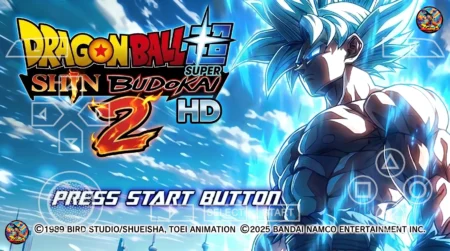
This is not the official game, and it never pretends to be. It is a full conversion of the original TTT built by modders, with a fresh roster, new stages, better graphics, and a fixed menu. If you loved the first game, this DBZ Tenkaichi Tag Team 2 mod is the closest thing to the sequel we never got.
What the DBZ Tenkaichi Tag Team 2 Mod Is All About
The idea behind the DBZ Tenkaichi Tag Team 2 mod is simple: take the solid tag-team fighting of the original and rebuild it with years of new Dragon Ball content. The modders treated it like a real sequel, so you get a new character lineup, redesigned stages, sharper visuals, and a menu system that actually works the way you want it to.
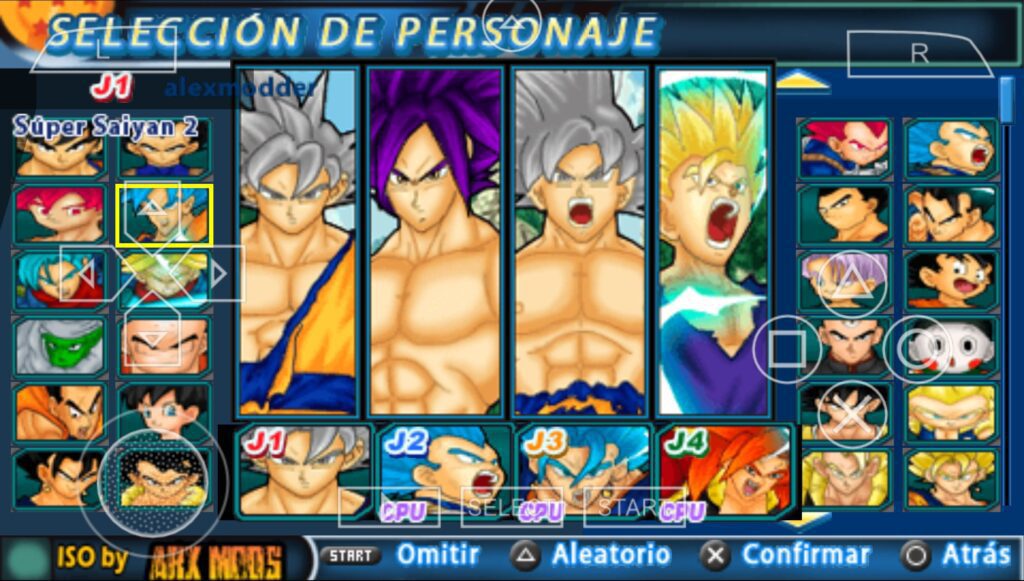
Since the PSP was discontinued a long time ago, most people play this on their phones now. The mod was built with Android gamers in mind, and it runs through PPSSPP, the free PSP emulator. If your phone can handle the emulator, it can handle this mod.
Roster: Super, GT, and Heroes Characters
The roster is the biggest reason to try the DBZ Tenkaichi Tag Team 2 mod. You get fighters from across the Dragon Ball universe:

- Dragon Ball Super characters with their latest forms and transformations
- Dragon Ball GT fighters making a welcome return
- Super Dragon Ball Heroes characters you will not find in the original game
- Classic Z-era fighters with new ultimate attacks
Many of these characters can transform mid-fight into their newer forms, and the mod adds fresh ultimate attacks. Some are pulled straight from the anime, while others come from the Budokai Tenkaichi 3 days on PS2. It gives every match a different feel, and you will keep finding new favorites.
New Maps and Better Graphics
The stages got a full makeover too. New maps have been added so you are not fighting in the same old arenas, and the existing ones have been redesigned to look more like the anime. The art style leans into that clean, colorful anime look, which suits a Dragon Ball game perfectly.
Graphics are noticeably sharper than the original TTT. Textures are cleaner, effects hit harder, and the whole game looks more polished. It still runs well on PPSSPP too, since the modders kept performance in mind while upgrading the visuals.
Permanently Fixed Menu
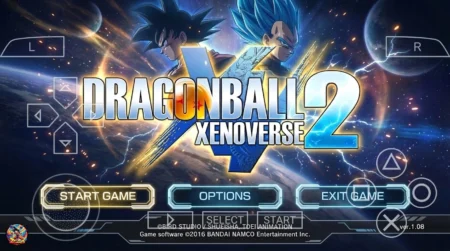
One of the best quality-of-life changes in the DBZ Tenkaichi Tag Team 2 mod is the permanently fixed menu. In the original game and many older mods, the menu could be clunky or glitchy. Here the menu stays put, looks new, and lets you pick characters and modes without any fuss. It sounds small, but it makes the whole game feel more complete.
How to Download the DBZ Tenkaichi Tag Team 2 Mod
Getting the DBZ Tenkaichi Tag Team 2 mod on your phone is straightforward. Follow these steps:
- Tap the download button below to get the EvolutionOfGames app, which gives you access to the mod files.
- Wait for the countdown timer to finish and your download link will appear.
- Download the ISO file and the menu pack using any browser on your phone.
- Grab a RAR extractor app from the Play Store if you do not have one already, and extract the downloaded files.
How to Install It on PPSSPP for Android
Once your files are ready, installation takes just a few minutes:
- Install the PPSSPP emulator from the Play Store. It is free.
- Open your file manager and copy the menu folder (ULUS10537) into the PSP/TEXTURES folder on your device. Create the TEXTURES folder if it does not exist.
- Open PPSSPP, change the emulator language to America Latina if the menu text looks off.
- Browse to the ISO file you extracted, select it, and enjoy the game.
Fixing Crashes and Lag
If the game crashes on startup or stutters during fights, the fix is usually in the settings. Open PPSSPP, go to Settings, then System, and turn off Fast Memory (it is marked unstable) and Multithreaded. Those two options cause most of the crashes people run into with TTT mods.
For lag, try lowering the rendering resolution to 2x PSP and enabling Auto frameskip. Closing background apps helps too. These tweaks sort out performance issues for most phones.
Why the Tag Formula Still Works
Tag-team fighting is what made the original TTT special, and the DBZ Tenkaichi Tag Team 2 mod keeps that formula front and center. Swapping between two fighters mid-battle lets you extend combos, escape pressure, and set up team attacks that a single fighter could never pull off. It adds a layer of strategy that straight one-on-one fighters do not have.
The bigger roster makes the tag system even better here. You can pair a heavy hitter like Broly with a fast technician like Hit, or run two versions of Goku with completely different movesets. Finding team combinations that click is one of the most satisfying parts of the mod, and it gives the game serious replay value.
More Mods Worth Trying
If the DBZ Tenkaichi Tag Team 2 mod gets you hooked, there is a whole library of TTT mods to explore. Check out the Dragon Ball Z Kakarot mod for a story-driven twist, or the DBZ TTT Super vs AF mod for another huge roster. Each one changes the game in its own way, so there is always something new to try.
FAQs
Is DBZ Tenkaichi Tag Team 2 an official game?
No. It is a fan-made mod of the original PSP game, built by modders as the sequel fans never got.
Can I play it on Android?
Yes. Install PPSSPP from the Play Store, load the ISO, and it runs on most modern phones.
Does it need a real PSP?
No. PPSSPP on Android or PC is all you need.
Which characters are included?
Fighters from Dragon Ball Super, GT, Super Dragon Ball Heroes, and the Z era, many with new transformations and ultimate attacks.
The game crashes on startup. What do I do?
In PPSSPP, go to Settings, then System, and disable Fast Memory and Multithreaded.
Is the menu really fixed?
Yes. The permanently fixed menu is one of the headline features, and it works from a fresh boot with no extra steps.
Can I play it on PC?
Yes. PPSSPP runs on Windows too, so you can play the mod on a computer with the same ISO file.


1 Comment
this game is good